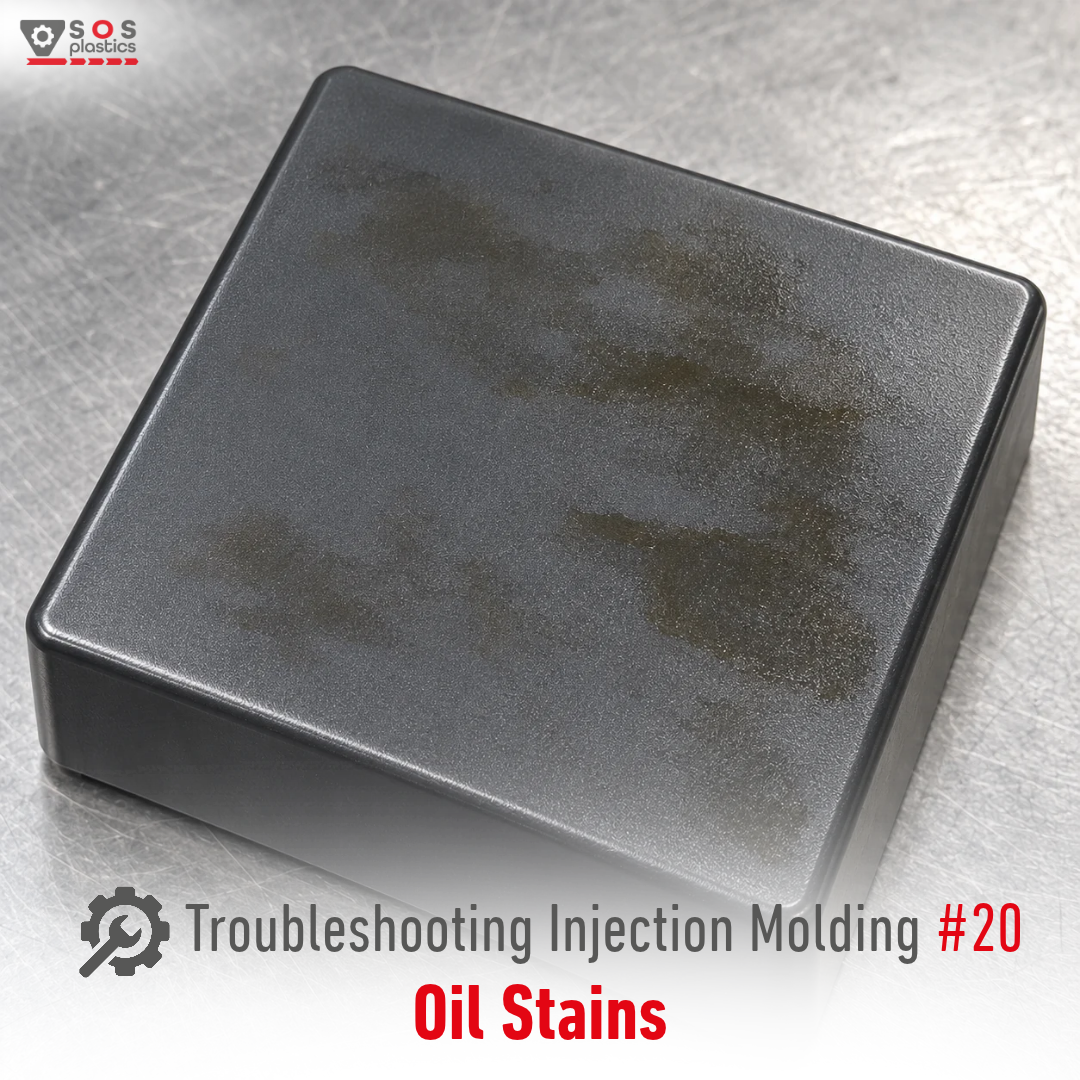
Oil stains are visible oily spots, films or glossy patches on the surface of an injection molded part. They can come from the mold, machine, automation or, in some cases, from the material itself.
When troubleshooting Oil Stains, investigate the causes in the right order:
1️⃣ Cooling or temperature-control fluid is leaking into the mold
➡️ Check the temperature-control unit, hoses, fittings and mold connections.
➡️ Check the circuit for leaks and verify that fluid is not entering the cavity through damaged connections or seals.
2️⃣ Hydraulic oil is leaking from the mold or machine
➡️ Inspect hydraulic cores, hoses, seals and connections around the mold.
➡️ Eliminate the leak before cleaning the mold and restarting production.
3️⃣ Excessive lubrication or mold release agent is reaching the cavity
➡️ Check lubrication points such as ejector pins, slides and guide components. Excess grease or oil can migrate onto the cavity surface, especially around moving components.
➡️ Use only the required amount of lubricant and avoid unnecessary release-agent application.
4️⃣ The robot gripper or handling equipment is contaminated
➡️ Check grippers, fingers, conveyors and fixtures that contact the part.
➡️ Clean the contact surfaces and verify whether the stain appears before or after part removal.
5️⃣ The mold has micro-cracks or damaged areas
➡️ Inspect mold plates, cavity surfaces and cooling channels for cracks or damage that could allow oil or another fluid to reach the cavity.
➡️ Repair the mold rather than trying to compensate for the contamination through process changes.
6️⃣ The material itself is releasing low-molecular-weight additives
➡️ Some polymer formulations contain lubricants, slip agents, plasticizers or other low-molecular-weight processing additives. If compatibility is limited, these components can migrate or bleed to the surface and create an oily or greasy appearance.
➡️ Check the material formulation, actual melt temperature and residence time. Excessive thermal exposure can increase additive mobility and surface migration. Keep processing within the material suppliers recommended window.
⚠️ The timing of the defect can be a valuable clue.If the part looks clean immediately after molding but develops an oily film after storage or exposure to heat, additive migration or blooming should be considered.
⚠️ Find the source before changing the process.Oil stains are a contamination problem first. Randomly changing injection temperature, speed or pressure can hide the symptom without eliminating the source.
Next in the Plastic Troubleshooting Series:
➡️ Water Stains
Have you ever found the source of an Oil Stain problem inside the material rather than the mold?